MD5TO Backups
One click. Sleep better.
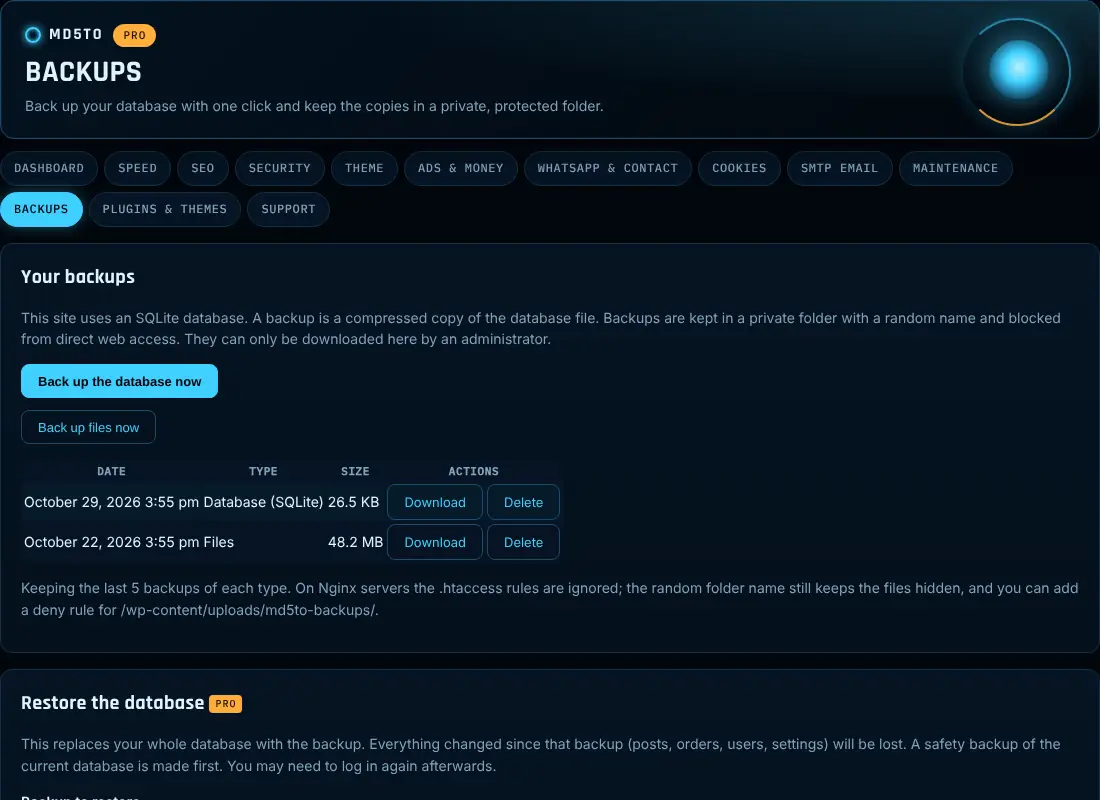
Back up your database with one click and download it. Copies are kept in a private folder with a random name that is blocked from the web, and old copies are cleaned up for you.
Free version: GPL, no account needed. WordPress 6.3+ · PHP 7.4+ · Panel in English and Spanish
MD5TO Latino-owned · Built in the USA
Every site owner who has ever thought “I should really make a backup before I update this.”
Everything you need to start
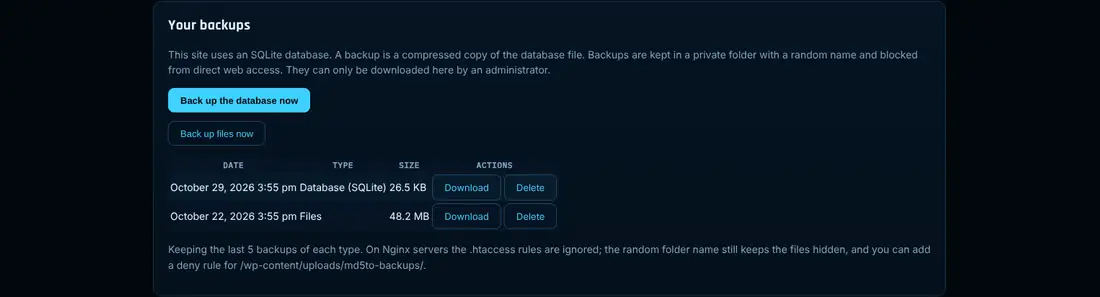
- One-click database backup
- Download from your dashboard
- Private, protected backup folder
- Keep the last backups you choose, older ones deleted
Do more, earn more
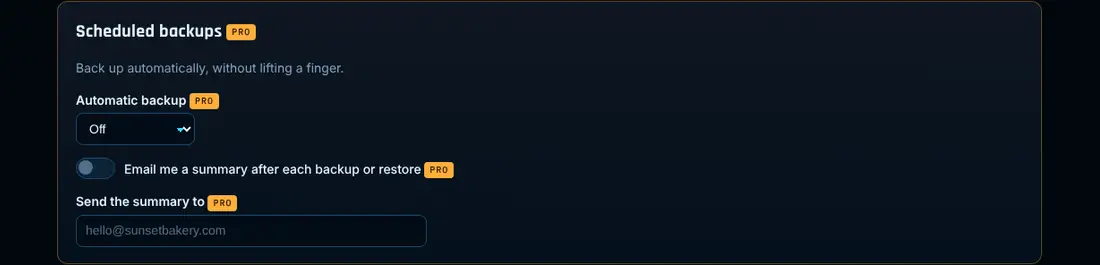
- Scheduled automatic backups
- Include files: uploads, themes and plugins, with excludes and a size limit
- One-click database restore
- Email summary after each backup or restore
Backups is one of ten modules in MD5TO
Need more than Backups? MD5TO puts Speed, SEO, Security, Theme Kit, Ads, WhatsApp, Cookies, SMTP, Maintenance and Backups in one plugin, with support tickets inside WordPress. Install it anytime: it takes over this plugin’s settings with no conflict.
$79/year
MD5TO Pro: all ten modules, 1 website
Free version included.
1 license = 1 website. Your license key is locked to the first domain you activate it on. Need more sites? Get one license per site.
MD5TO Backups Pro
One price: $29 per website, per year, with updates and support. Your license key arrives by email right away.
Single site
$29/year
1 website, per year
- All Pro features
- 1 year of updates and support
- License locked to your site
1 license = 1 website. Your license key is locked to the first domain you activate it on. Need more sites? Get one license per site.
Want every module? MD5TO Pro, $79/yr per site · Everything we make: All Access.
Questions
Does it back up my files?
The free version backs up the database, where your posts, pages and settings live. Pro adds your uploads, themes and plugins.
Can I send backups to Google Drive or Dropbox?
Not yet. Cloud storage is planned for version 2. For now, download your backups and keep a copy off the server.
Who can download backups?
Only administrators, from the WordPress dashboard. The folder is private and blocked from direct web access.
If I install MD5TO later, will they conflict?
No. MD5TO detects the standalone plugin and takes over that module with the same settings, so nothing runs twice. You can then deactivate the standalone one.
How do I get Pro?
Install the free plugin, then buy your Pro license here. Pro installs next to the free plugin and keeps all your settings.
Can I cancel?
Yes, anytime. Your license stays active until the end of the paid period.
Can I move my license to another domain?
Licenses are locked to one domain. If you really change your domain, open a support ticket and we’ll help.
How do updates work?
Automatic. As long as your license is active, WordPress installs new versions for you.
Get MD5TO Backups today
Free forever. Upgrade only when you want more.